A Tesla low battery warning on the Cajon still may need on-site 240V. The same is true on the 91. The alert is about the traction pack. It isn’t automatically a dead 12-volt battery. A local operator may still bring 240V to the car. Stay with the exact wording on the screen. Don’t treat a map pin as proof you’ll finish the next miles.
Tesla low battery warning versus a 12-volt alert
Drivers often flatten several Tesla alerts into one phrase. “Low battery” is the shorthand they use. On inland freeways that shorthand sends help toward the wrong job.
A traction-pack warning isn’t proof the 12-volt battery failed. A low-voltage alert isn’t proof the main pack is empty. Keep them separate until the car or a qualified operator says more.
Don’t guess from the battery icon alone. Our source record has no universal Tesla warning threshold. It also has no hidden reserve figure for every model. Follow the guidance on your screen. Then check Tesla’s current owner materials for your year.
If you’re safely parked, photograph the complete message. Include the heading, the extra lines, and every symbol. Don’t crop. The operator will use those words, not your summary.
Share the model, the model year, and the charge shown. Say whether the Tesla can still move or shift. Note if the display is still talking to you. Report what you see. Don’t call it a failed pack unless it’s been diagnosed.
Our guide to a dead Tesla pack versus a 12V failure helps you sort those clues. Describe the message. Skip the guess.
Inland grades change the next decision
A warning on I-15 at the Cajon climb toward Victorville is its own problem. It isn’t the same as a warning in a Corona lot. Heat, grade, and travel direction all change what you can still attempt. A pin on the in-car map isn’t a finished route.
Don’t choose a charger because the straight-line number looks short. Confirm you can enter it from your direction. Confirm the equipment fits your Tesla. If the on-screen warning is stricter than your plan, follow the warning.
Charge Pro IE couldn’t confirm a remaining-range formula that covers every current Tesla. Check the car first. Then check Tesla’s current owner materials.
If the car has already stopped, don’t keep rolling it to invent extra distance. Read what to do while you’re still running low before you try another move.
Give the operator inland details they can actually use. On the Cajon, say northbound or southbound. Name the nearest exit toward Hesperia or back toward San Bernardino. On the 91, say whether you’re on the shoulder through Corona. On I-10, name Colton, Redlands, or the Beaumont climb. On I-215, name Moreno Valley or Perris. In a garage, give the level, the gate, and the clearance. In a warehouse row or an Ontario airport lot, describe the aisle. Mention after-hours access too.
If the location isn’t safe, contact emergency services. Follow their instructions before any charging plan.
Follow the car, not a forum post
The active message is the first instruction that counts. Read it while you’re safely stopped. Do what it says. An old thread and another driver’s story don’t override it.
If the Tesla says to stop, don’t keep driving to test leftover miles. If it points you toward charging, compare that with a site you can reach. A navigation pin isn’t permission to ignore a harder warning.
Don’t clear alerts before you record them. Don’t jump, disconnect, or reset because the word battery appeared. A low pack and a Tesla low-voltage warning can need different equipment.
Keep the display up while you arrange help. The matched operator uses that wording. They can talk through on-site 240V, a 12-volt jump, or transport.
When on-site 240V still makes sense
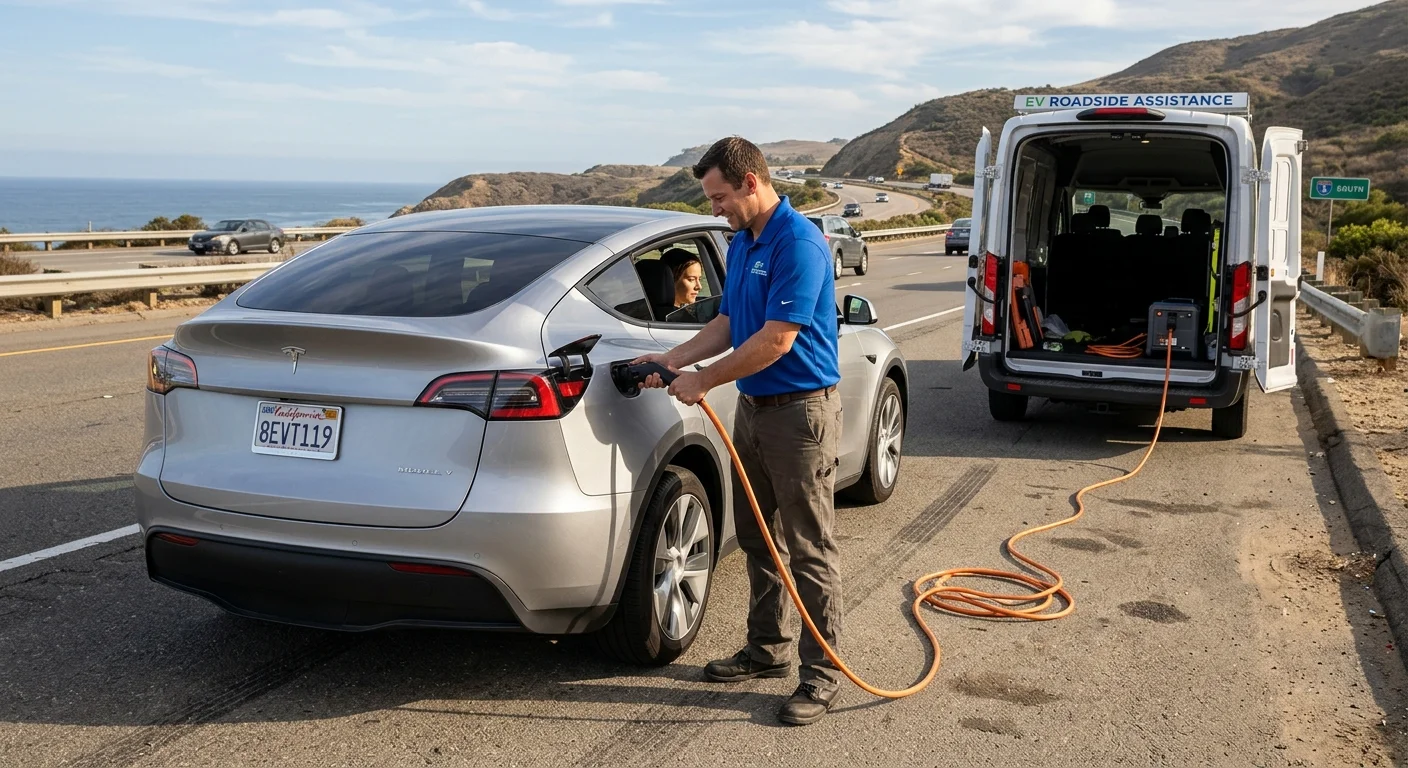
On-site 240V may fit when the Tesla sits in a safe working spot. An independent operator still has to confirm they can serve that car there. It isn’t the answer for every warning.
Tell them exactly where the car sits. Include model, year, displayed charge, and the full warning text. Say whether it can be moved. For a parking structure, share the level, entrance, gate, and clearance. For a freeway, give the route, direction, nearest exit, and a visible landmark.
Ask what outcome they propose. That may be charging at the car. It may be moving toward a charger. It may be transport. Confirm the connector they plan to use. Confirm price and payment with that operator. They quote before they start. They bill you directly.
Charge Pro IE doesn’t do the physical work. We don’t set operator prices. We don’t warrant the job. We connect you with independent local EV rescue operators. The pros we connect you with are licensed.
Those operators bring a 240V Level 2 source to the car. Tesla owners get a native NACS plug. Other EVs use a CCS or J1772 adapter. A typical session adds 10 to 20 miles of range. That happens in 15 to 30 minutes of charging. That’s charging time. That’s never an arrival time.
Don’t treat that typical add as a promised trip length. Ask what they can do for the vehicle and place you described. Our Tesla roadside rescue page and mobile EV charging page explain the referral.
Don’t move the car into a worse place. That includes shifting it just to park a van. If you’re in live traffic on the Cajon or the 91, safety comes first.
One place this warning shows up is the Cajon climb toward Victorville. You may still need charge at the car. The same is true on the 91 through Corona. The stall you saw in the nav may not match what the warning allows. That’s when on-site 240V is the conversation. See out of charge on I-15 at the Cajon and out of charge on the 91.
When the Tesla may need a tow instead
Transport may be the better path when the screen restricts driving. It also fits when there’s no safe working area. It fits when an operator can’t charge at that location. It comes up when the Tesla won’t accept a charge. It comes up when the car can’t be moved safely.
That decision doesn’t diagnose the main battery. A car that won’t continue can have more than one issue. If you see low-charge text and a separate low-voltage line, share both.
The right tow method depends on the model and its current state. Charge Pro IE couldn’t confirm one procedure for every current Tesla. Follow the vehicle’s active guidance. Follow Tesla’s current owner materials. Follow the qualified operator’s instructions.
Location details matter here. Tell them if you’re in a narrow garage. Mention a gate, a steep driveway, or live traffic. Describe which way the Tesla faces. Don’t try an unverified release or tow method. Don’t do it just to make the car easier to grab.
A matched operator reviews the vehicle state you report and the site access you describe. That operator, not Charge Pro IE, does any roadside charging or transport.
Home power doesn’t move a car on the 91
Electric service across this market isn’t one company. Riverside is Riverside Public Utilities. Colton owns its electric utility inside city limits. Moreno Valley is split between Southern California Edison and Moreno Valley Utility. Rancho Cucamonga has SCE, plus a municipal pocket around Victoria Gardens. Most of Corona, Fontana, Ontario, and the High Desert cities are SCE for homes. Big Bear Lake and Big Bear City are Bear Valley Electric Service.
None of that changes a traction-pack warning on the shoulder. A home EV rate doesn’t add miles on I-15. If the Tesla is already stopped, you need the operator, not the utility.
When to call
Call when the on-screen guidance leaves no safely reachable charging attempt. Call when you need an operator to weigh on-site 240V against a tow. Call (909) 250-2881 and we’ll connect you with a local EV rescue operator.